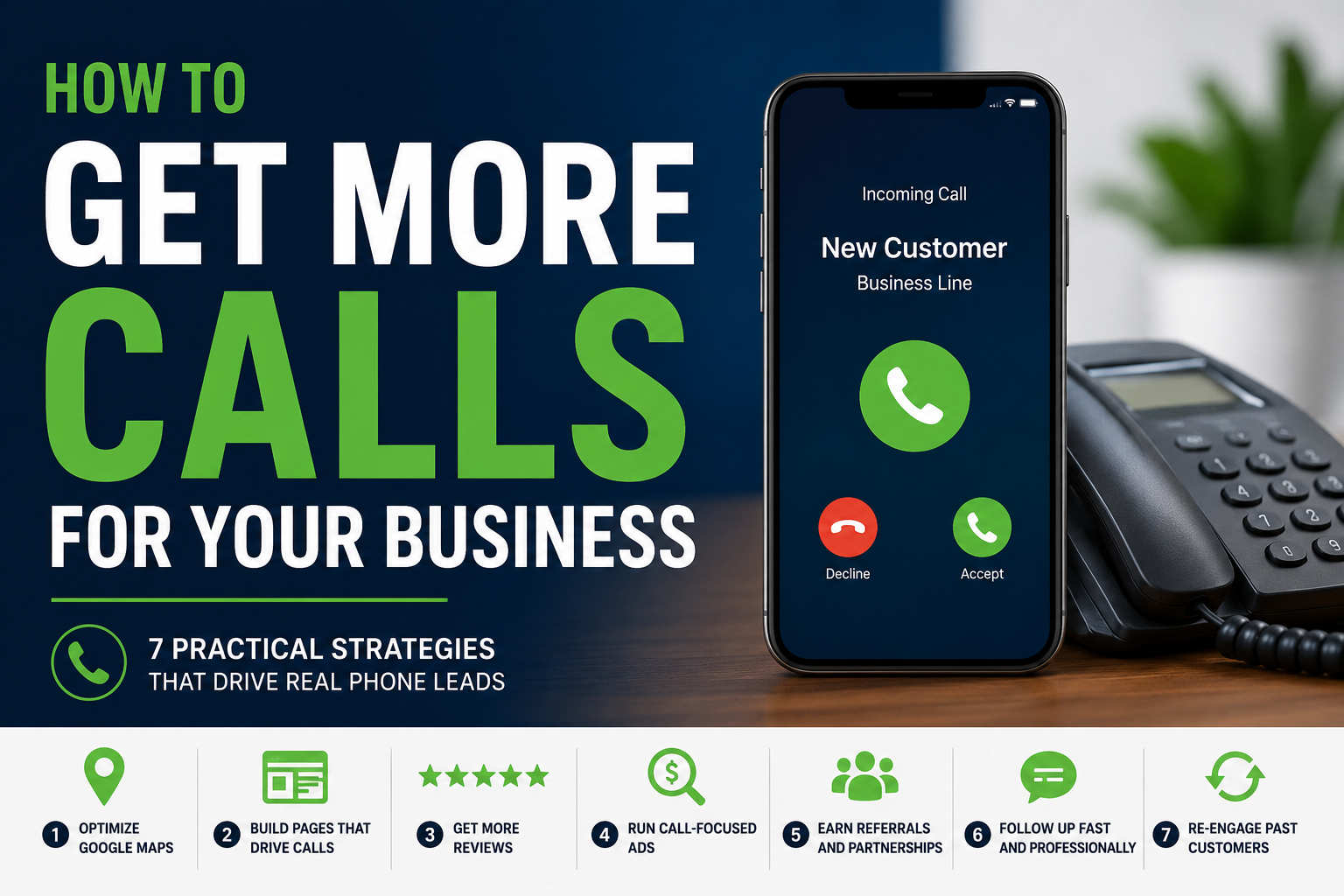
If you are asking, “How do I get more calls for my business?” start by identifying why a customer would call you. The customer must find your business while looking for a service, see enough evidence to choose you, and have an easy way to reach you. Improving those three steps creates more calls without relying on random marketing activity.
First, identify why you are not getting enough calls
More traffic only solves one type of call problem. Before spending money, look at what is currently happening.
Check your Google Business Profile views, relevant service-page traffic, phone-link clicks and actual phone records. Do not combine every website visit or phone call into one number. A visitor reading an informational article is less likely to call than someone viewing a page for a service they need today.
1. Generate more calls from Google Maps
Google Maps can produce calls before the customer visits your website. The profile must appear for the right searches and give the customer enough information to act.
Search Google Maps for three services that produce valuable work for your business. Search from locations inside your actual service area and ignore sponsored results. Record whether your business appears and what customers see beside it.
- Is the searched service listed on your profile?
- Is your primary category the closest match to your main service?
- Are your phone number, website, hours and service area accurate?
- Have customers left recent reviews?
- Do your photos show current, real work?
- Does the linked website page match the searched service?
Google states that local rankings are primarily based on relevance, distance and prominence. Complete business information helps Google understand when a profile is relevant. Reviews, links and the business’s broader prominence can also contribute.
Do not add services to your business name unless they are part of the real-world name. Do not create fake locations. Do not select unrelated categories to appear for more searches. Those shortcuts create inaccurate information and can put the profile at risk.
Action: Use the Google Business Profile Health Check to find missing information, weak review activity and outdated profile content.
A business that cannot find itself for important searches should also review five reasons a business may not appear on Google Maps.
Google’s official local ranking guide explains its recommendations for improving profile visibility.
2. Build a page for every service that should generate calls
Your homepage cannot fully answer every service search. A customer looking for commercial pest control needs different information from a homeowner looking for termite treatment. Sending both people to a general homepage forces them to search for the information themselves.
Start with the service that produces your best customers. Build one useful page before creating additional pages.
What the service page needs to answer
- What does the service include?
- Which problems does it solve?
- Who is the service for?
- Where is the service available?
- What does the process look like?
- Why is your business qualified?
- What should the customer do next?
Use photographs, reviews and examples connected to the service. A generic testimonial such as “Great company” provides less help than a review describing the exact problem, the work completed and the result.
Avoid creating dozens of nearly identical city pages. A location page should contain information that matters to a customer in that area, such as actual availability, local examples, service limitations, relevant regulations or the way your team serves the location.
Action: Open the page for your highest-value service on a phone. Ask whether a first-time visitor could understand the service, trust the business and call without visiting another page.
3. Give customers a clear reason to call your business
Ranking gives your business a chance to be considered. It does not guarantee the call. Customers may compare your profile, reviews and website with several competitors before choosing.
Search for one important service and open the first three relevant businesses. Compare them with your business using the information a customer can see quickly:
- Average rating and total reviews
- Reviews received during the last three months
- Specific services mentioned in reviews
- Quality and recency of photos
- Business hours and availability
- Credentials, experience or guarantees
- Clarity of the service and next step
Fix the gaps customers can see. Ask satisfied customers for honest reviews. Upload photographs that show recent work. Explain your process. State your service area. Show the credentials or experience that matter in your industry.
Avoid vague claims such as “best service,” “number one company” or “unmatched quality.” Replace them with information a customer can evaluate.
Weak: We provide the best plumbing service in the area.
Useful: Call before noon for same-day availability on qualifying plumbing repairs in the Oklahoma City metro.
Only use an offer such as same-day availability when the business can consistently deliver it.
Our Google Maps ranking analysis examines how ratings, review responses, review volume, photos and profile completeness compared with local positions.
4. Make it easy to call from a mobile phone
Most local service pages should display a phone button near the top on mobile. The customer should not need to open the menu, visit the contact page or copy a number from the footer.
The button should explain what happens after the customer taps it.
- Call for an estimate
- Call to check availability
- Call to schedule service
- Call to speak with a technician
- Call to confirm we serve your area
A clickable phone link uses the tel: protocol:
Replace the example with the real business number. Test the button on an actual phone after publishing.
Repeat the call button after sections that help the customer decide, such as pricing information, the service process, reviews or frequently asked questions. Do not cover the page with buttons before giving the visitor useful information.
Action: Test your homepage and three most important service pages on a phone. Fix every page where the phone number is hidden, too small, unclickable or unclear.
5. Track which pages and channels create qualified calls
A phone-link click is evidence of intent. It does not confirm that the call connected, was answered or came from a suitable customer.
Track phone-link clicks as website events, then compare them with your phone records. For each new caller, record five details:
- Where the caller found you
- Which service the caller needed
- Whether the call was answered
- Whether the caller was qualified
- Whether the caller booked
Ask new callers how they found the business when tracking cannot identify the source. Use simple categories such as Google Maps, organic search, Google Ads, referral, past customer and other.
Compare the number of qualified and booked calls, not only the total number of calls. Twenty calls for services you do not provide are less valuable than five calls from customers who need your most profitable service.
Google Analytics can record link-click events, including interactions with telephone links when tracking is configured. Actual call connection and call quality require phone records or a separate call-tracking system.
Existing Traffic Call Opportunity Calculator
Estimate how many additional calls and customers one service page could produce if it performed like your best comparable page.
6. Use paid search when you need calls faster
Organic visibility takes time. Paid search can reach customers who are actively looking for a service now. Poor targeting can also produce expensive calls from people you cannot help.
Start with one profitable service. Avoid launching a campaign for every service at once.
- Target search terms showing clear buying intent.
- Limit the campaign to locations you actually serve.
- Send the visitor to the matching service page.
- Add negative keywords for irrelevant searches.
- Use call assets during hours when someone can answer.
- Track calls long enough to indicate a real conversation.
- Measure cost per qualified call and booked customer.
Google is replacing call-only ads with responsive search ads using call assets. Call assets allow customers to call directly from an ad and can be scheduled for staffed business hours.
Review Google’s official guidance on call assets and call conversion measurement before launching the campaign.
Action: Use the Local Marketing Budget Calculator to estimate what the business can invest before selecting an arbitrary ad budget.
7. Create more calls from people who already know the business
Past customers, previous estimates and referral partners can generate calls faster than an unfamiliar audience. Contact them with a specific reason rather than a generic request to “keep us in mind.”
Follow up with open estimates
Hi, this is [name] with [business]. We sent an estimate for [service] on [date]. I wanted to check whether you had any questions or wanted to review scheduling options. You can call me at [number].
Contact past customers when the timing is relevant
Hi, this is [name] with [business]. We completed [previous service] for you last year. This is usually the time customers begin scheduling [related recurring service], so I wanted to check whether you need help this season.
Ask complementary businesses for specific referrals
We help [type of customer] when they need [specific service]. If one of your customers mentions [specific problem], would you be comfortable introducing us? We would also be happy to direct suitable customers to you when they need [partner’s service].
Choose partners that serve the same customer without providing the same service. A roofer may build relationships with restoration companies. A photographer may work with wedding venues. An accountant may work with commercial insurance agents.
Contact only people the business has a legitimate reason and permission to contact. Honor opt-out requests.
What to change first
Use this order:
- Fix incorrect phone numbers, broken buttons and unanswered calls.
- Improve visibility for the service you want to sell.
- Strengthen the page connected to that service.
- Add recent reviews, photographs and specific proof.
- Track qualified calls and bookings.
- Use paid search after the website and call process work.
- Continue following up with past customers and warm leads.
Review the results monthly. Keep the changes that create qualified calls and booked customers. Stop spending time on activity that produces impressions without real opportunities.
Use the Local Marketing Priority Finder when you need help deciding whether your next improvement should focus on Google Maps, the website, reviews or broader local visibility.
Related local marketing resources
Frequently asked questions
How can I get more calls for my business without paying for ads?
Improve your Google Business Profile, create useful pages for your main services, request honest customer reviews, make your phone number easy to find and follow up with past customers and open estimates.
Why is my website getting traffic but no calls?
The traffic may not come from potential customers, the page may not match the searched service, the business may lack convincing proof or the phone button may be difficult to find. Compare commercial service-page traffic with phone-link clicks.
What is the fastest way to get more business calls?
Follow up with open estimates and past customers first. Paid search can also generate calls quickly when it targets a specific service, uses a relevant landing page and runs while someone is available to answer.
Should I send Google Ads visitors to my homepage?
Send the visitor to the page that most closely matches the advertised service. A relevant page reduces the amount of searching the customer must do before calling.
Help more local customers find and call your business
Moose Marketing Group helps local businesses improve Google Business Profile visibility, local search performance and the information customers use when deciding whom to call.
Visit Moose Marketing Group